My Keyboard Obsession
As someone who types for a living, I have come to think of my keyboards as precious companions, the way chefs treat their knives. That probably sounds absurd for a slab of plastic and metal, and I am not going to dress it up to make it sound less so. It is simply how I feel.
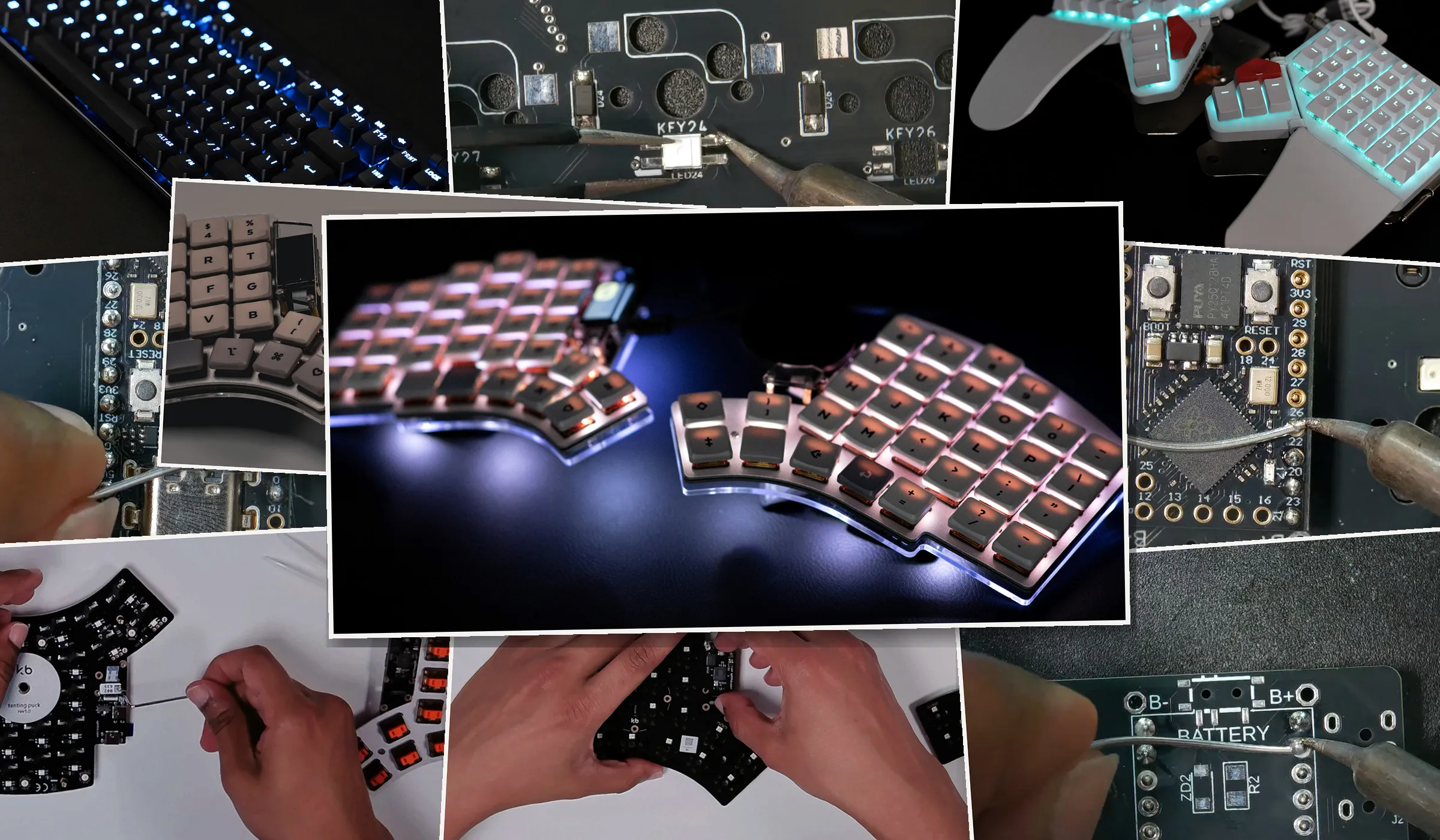
Elora (tinkering post) is the second custom split keyboard I have built. My first, a Lily58, is a PCB kit I hand soldered, which was quite a challenge (tinkering post). For the Elora I went with a presoldered kit. I put it together just to build another custom board. It is a rock solid split. My only real complaint is that I keep stopping mid sentence to admire it. Somewhere along the way it quietly took over as my daily driver, retiring my Moonlander keyboard.
Let me rewind. For most of my life I typed on whatever was in front of me, cheap boards that cost a few thousand rupees and that I never gave a second thought. Back then I could not have told you the difference between mechanical and membrane, and for a long time I did not even know there was a difference to have an opinion about. I had quietly decided, with no real basis, that switches with some height to them were mechanical and the short, low profile ones were membrane.
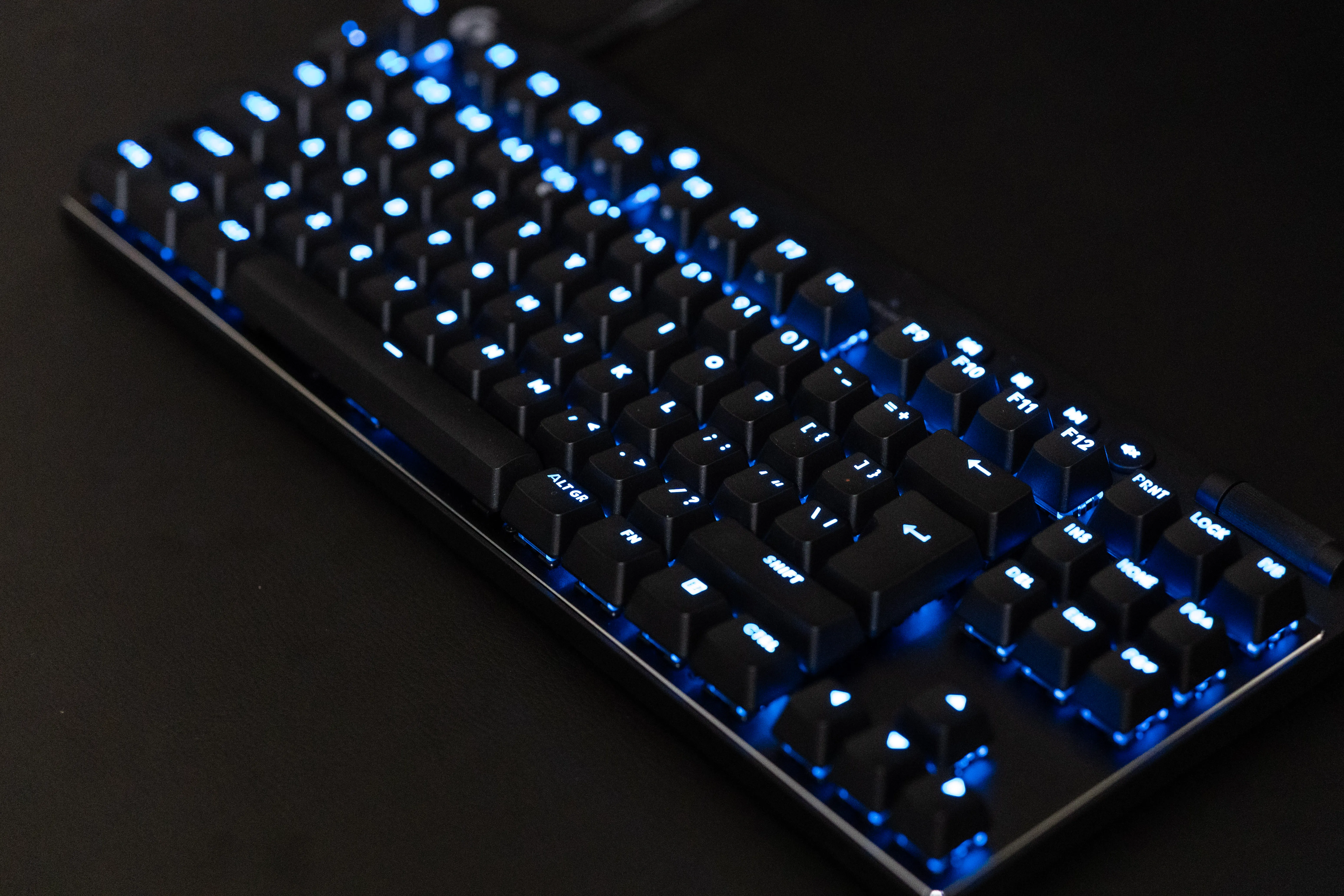
This was around the time mechanical keyboards came back into fashion, driven by PC gaming, though none of that was on my radar. I judged boards purely by feel, and once I tasted a proper gaming board and felt the gap between one of those and an ordinary everyday keyboard, that was it. I moved to good gaming boards, a run of Logitech and Corsair, mostly whatever the Sri Lankan market offered and my budget could stretch to. For a while the same boards handled both my work and my gaming. At some point I started keeping separate boards for the two. I bought and still keep a Logitech G Pro X TKL around purely for gaming. It is tenkeyless, so there is no number pad eating the desk space, and the real feature is the magnetic analog (Hall effect) switches. I can tune the actuation point of each key, and rapid trigger resets a key the instant I lift off it, which makes the fast repeated presses that casual gaming lives on feel effortless.
The turning point
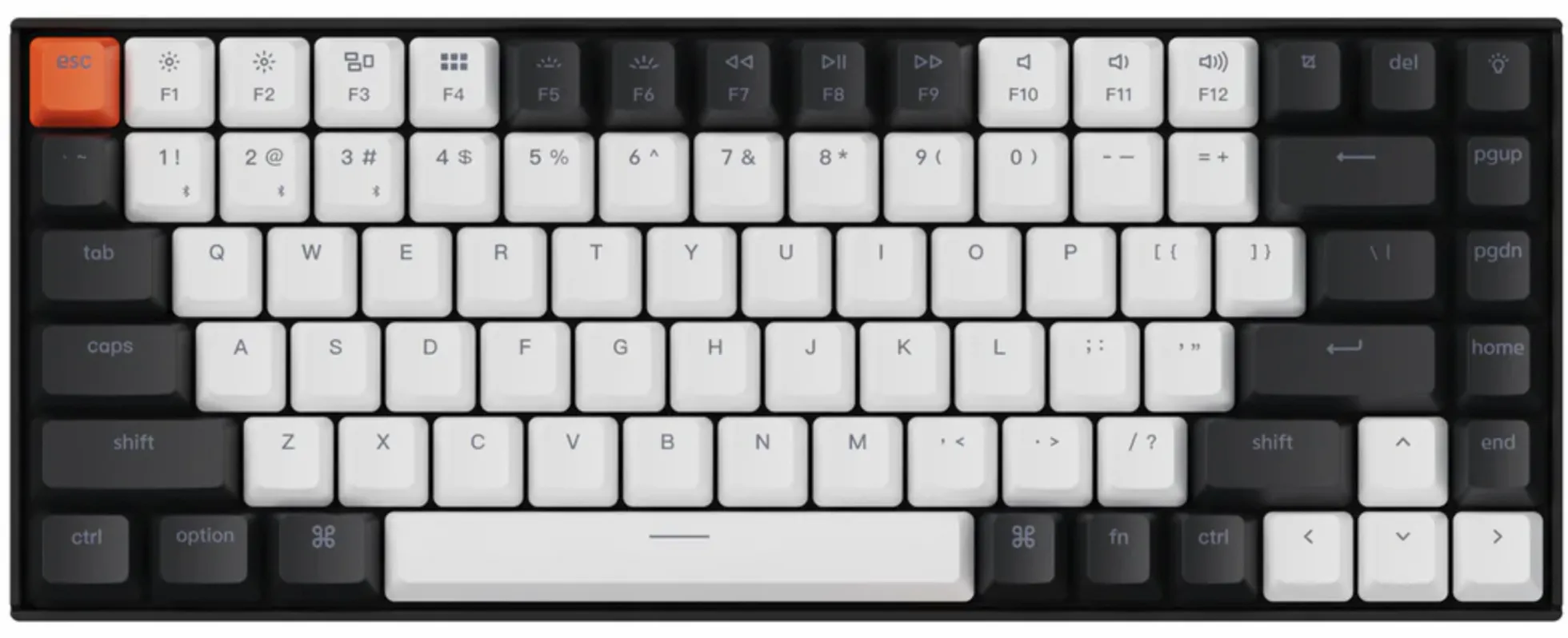
The shift started, as these things often do, with a friend. While we were gaming, Dileesha began talking about his shiny new Keychron. I know how much effort he puts into filtering things down by quality, so that alone was enough to make me curious. After some research I bought a Keychron K2 V2, the hot swappable RGB aluminum version with Gateron red switches. It is a 75 percent board, so it keeps a full function row and dedicated arrow keys while staying compact, and the hot swap sockets meant I could change switches later without ever picking up a soldering iron. It talks to my machine over both Bluetooth and USB-C. It burnt about LKR 48,000 at the time. You could reasonably argue that is a lot of money for a keyboard, and I would agree, though I would also blame the taxes and the logistics.
It was worth every rupee. The board was excellent, and if nothing else, it was a pleasure just to listen to the sound it made. Which is a strange thing to admit about a keyboard, but there it is.
Around the same time, I was getting a divorce from VS Code. It had bloated into something I no longer recognized. While I was buried in configuration videos for Vim, the editor I was moving to, I kept seeing people pair it with split keyboards. Something clicked. I was picturing how natural it would feel to keep my hands resting where they belong instead of wandering across a board. I looked for a split in Sri Lanka and came up empty.
In 2024 I got the chance to move to the Netherlands, and I already knew a split keyboard was waiting for me on the other side. Between the move and the logistics, my Keychron had to find a new home. I still feel a little guilty about that.
Moonlander
The very first thing I did, before I had properly settled in, was buy a split keyboard. I had done my research before the move and already had my mind set on a Moonlander from ZSA. I bought the board and the tenting platform together, which came to around USD 500 once the import fee from the US was included.
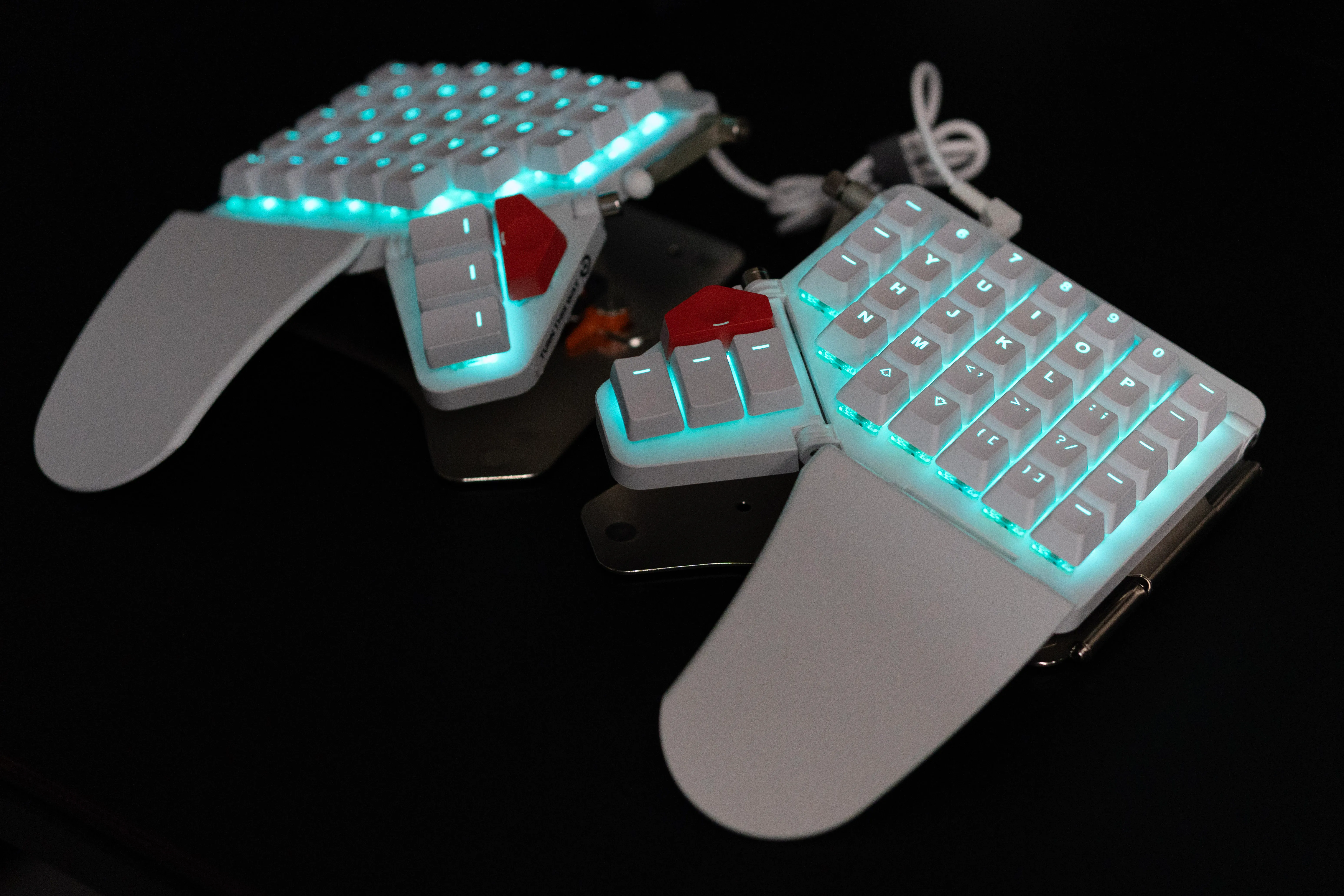
The Moonlander is a columnar staggered ergonomic split. Instead of the diagonal stagger we find on a normal keyboard, the keys sit in straight columns offset for the length of each finger, and each half has its own thumb cluster. It runs QMK firmware, which I configured through Oryx, ZSA’s web based layout tool. That is where all my remapping happened. In Oryx I moved Escape down to the thumb cluster and built a mouse layer, a whole set of keys on a separate layer that drives the cursor, so I never had to lift my hands off the board. That was the easy part. Then I ran into the reality nobody warns you about.
My layout was objectively good. I was objectively terrible at it. My typing speed dropped to an all time low. Years of muscle memory, carved deep into my hands, do not politely step aside just because I have decided to improve.
I cannot tell you exactly when it turned around, but I have a theory about it. In the beginning, every line of code and every sentence came with my brain gatekeeping where my fingers hit. I was more conscious of where my fingers were moving than of what I actually wanted to say. At some point I consciously became unconscious of it. My fingers just knew, and I suddenly got a lot better. Not as fast as I once was, but the accuracy was there. What kept me from giving up was simple. I enjoyed the struggle.
Falling into custom keyboards
I am curious about almost everything I come across, which is how I end up with so many hobbies. Not long ago I started learning electronics. I picked up the basic theory, soldered a few small projects, and then wanted to build something serious. A custom keyboard could feed my keyboard hunger and my new hobby at the same time. The perfect crossover.
I read and watched everything I could. I discovered the world of open source keyboards, and settled on a Lily58. It is an open source 58 key split, again column staggered, and like almost everything in this hobby it runs QMK. I bought a kit from a small UK shop called mechboard plus a carrying case for around 260 EUR.
The board came with SMD components. Every key needs a diode, and on this board those diodes are tiny surface mount parts, smaller than a grain of rice, soldered flat onto the surface of the PCB rather than through a hole. I had never so much as touched an unsoldered SMD part. So I bought a practice board and failed miserably. Some of the components I could not even see properly. That meant I need a microscope. And this was one purchase I actually had to stop and think about. After weighing it up, I went with a TOMLOV DM602 and practiced on a few more boards. The soldering pictures below were taken through this microscope.
The day of truth arrived. I soldered the Lily58 slowly and very carefully. For some reason it was terrifying, and yet I enjoyed every small step of it. I flashed the RP2040 microcontroller with QMK. The instructions told me to test the switches before finishing everything up, so I did. One half worked. Then I plugged in the other half, and the USB hub started making a noise. While I had been soldering, part of me had quietly wished something would go wrong so I would have an excuse to debug it and learn. The moment it actually did, I cursed myself from the bottom of my heart.
So I contacted mechboard support. Years of competitive gaming taught me to hunt down my own weaknesses and cover them, and one of mine is that when I get obsessed with something, I am absurdly easy to impress. When I described what I had done, someone from their tech team calmly pointed out that I had soldered one of the LEDs a hundred and eighty degrees the wrong way. I went back and checked every single LED. I was genuinely impressed, and it made me want to be that knowledgeable and that sure of myself. It might be a small thing, but I admire people who are that confident in what they do. Kudos to them.
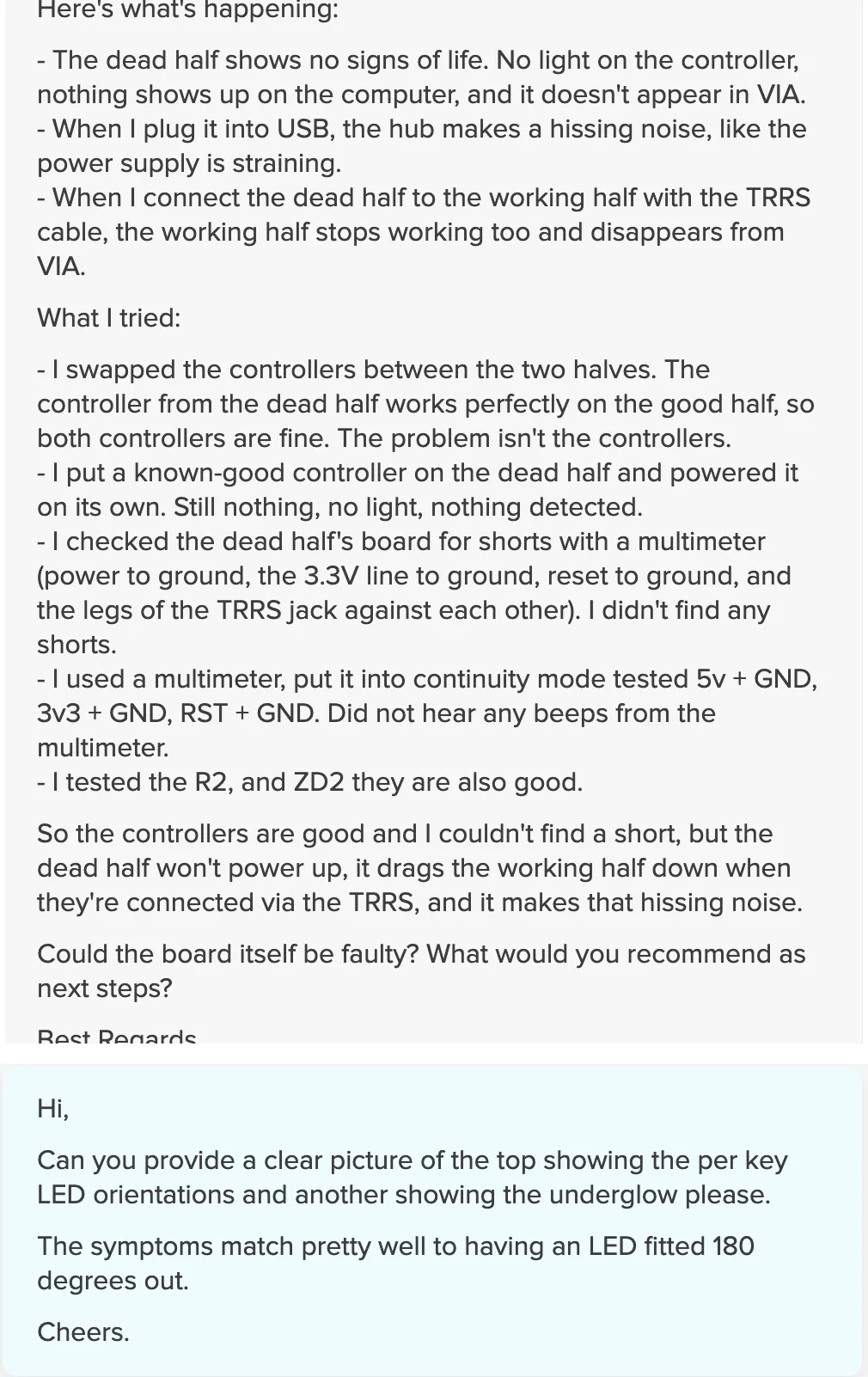
The bigger drama, which I almost forgot to mention, is that at some point I had lifted a copper trace clean off the PCB. So I hand wired it with soldering wire 😅, and somehow got all the keys working. 🪄
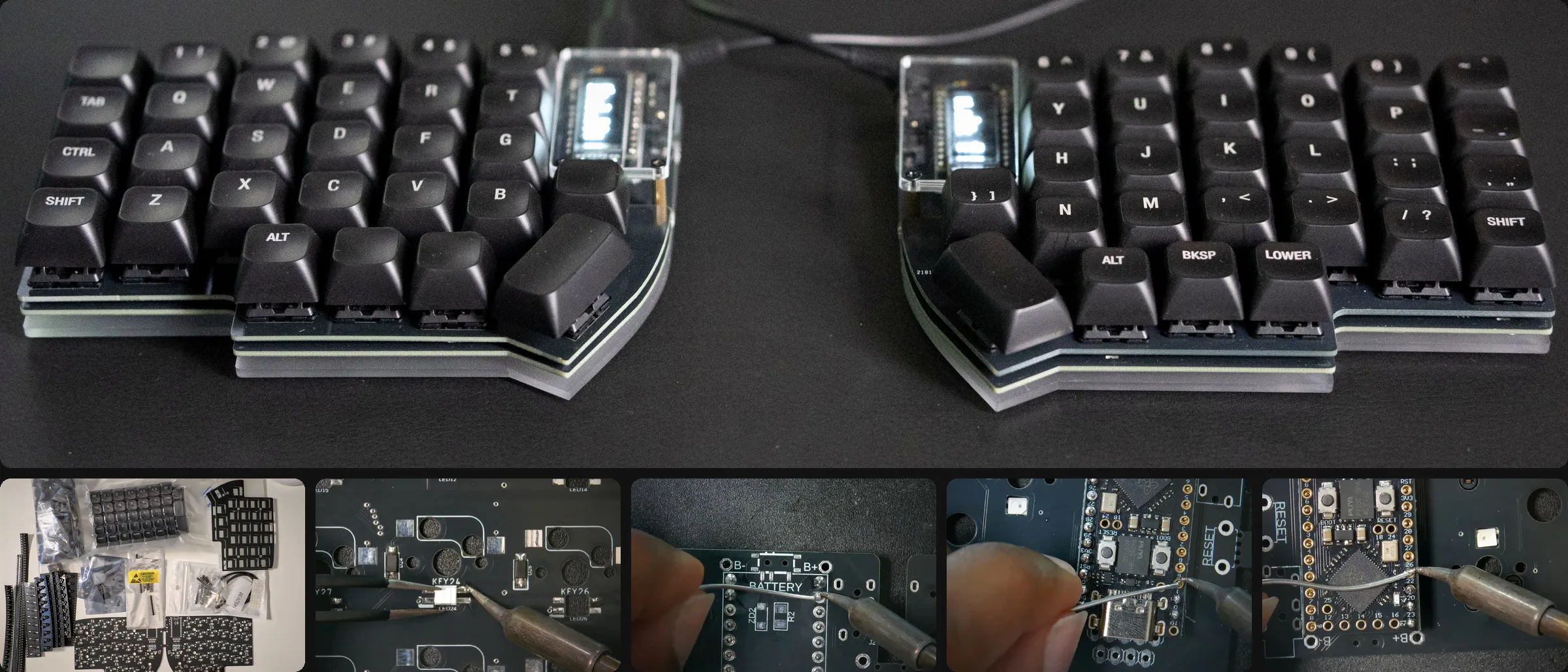
Watching letters appear on the screen from a piece of hardware I had built with my own two hands was a kind of satisfaction I could never have bought. Half the LEDs still refuse to light up. Those per-key LEDs are addressable RGBs (SK6812) daisy chained along a single data line, which means one badly soldered LED knocks out every LED after it in the chain. I guess that is why about a half of the LEDs of both splits stays dark, and I will need to learn more before I can fix it down properly. But I am completely fine with that.
I fitted it with Cherry MX Blue clicky switches. Funnily enough, I do not even like the clicky sound and feel, though I told myself I needed it. It is the first keyboard I ever built, so it is staying with me.
The beauty
After the Lily58, I was ready for something I did not have to fight. Which brings me back to the Elora I opened with.
I had already been eyeing splitkb.com, a Dutch company with a beautiful lineup. I settled on the Elora because it has a number row and simply looks lovely. I bought the presoldered kit and a handful of extras to finish it off. A pair of gel wrist rests, pocket tripods, MBK Legend 60s keycaps, sunset Kailh low profile tactile switches, a Halcyon Elora low profile case, and tenting pucks. The switches are very clean retro style switches. I also picked up two TFT LCD displays, one of which I later swapped for a Halcyon Cirque touchpad.
Elora is part of splitkb’s Halcyon ecosystem, and that is exactly why those swaps were painless. The displays, the Cirque trackpad and the encoders are all modules that drop into standard headers on the board, so changing one is a matter of unplugging and plugging rather than reaching for the soldering iron again. Like the others it runs QMK, and being a low profile board, everything sits close to the desk. Following their instructions, assembly was refreshingly straightforward, and the quality of the kit and every component in it impressed me. All of it came to roughly 480 EUR. The full parts list and build notes will be live in the Elora tinkering log.
I can confirm they are properly Dutch, because they threw in a stroopwafel, which is about as Dutch as it gets.
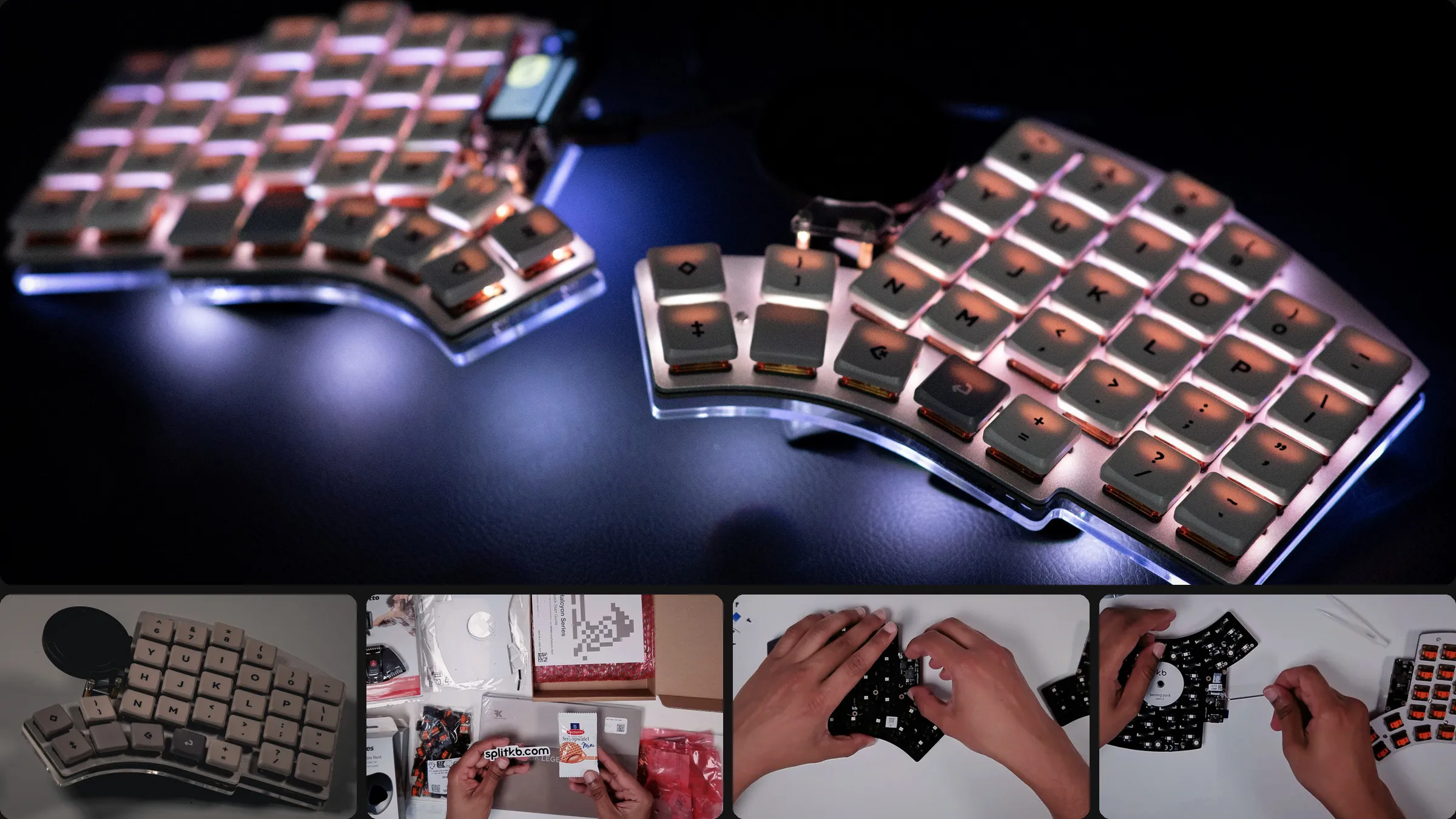
This board is a joy. As you can see bellow, due to the key arrangement my fingers sit on the home row naturally, without effort. Pinky on A, index on S and so on. Because it is a split, I can place each half wherever I like, so I keep them spread out near where my hands naturally rest on the arms of my chair. The pocket tripods let me angle each half.
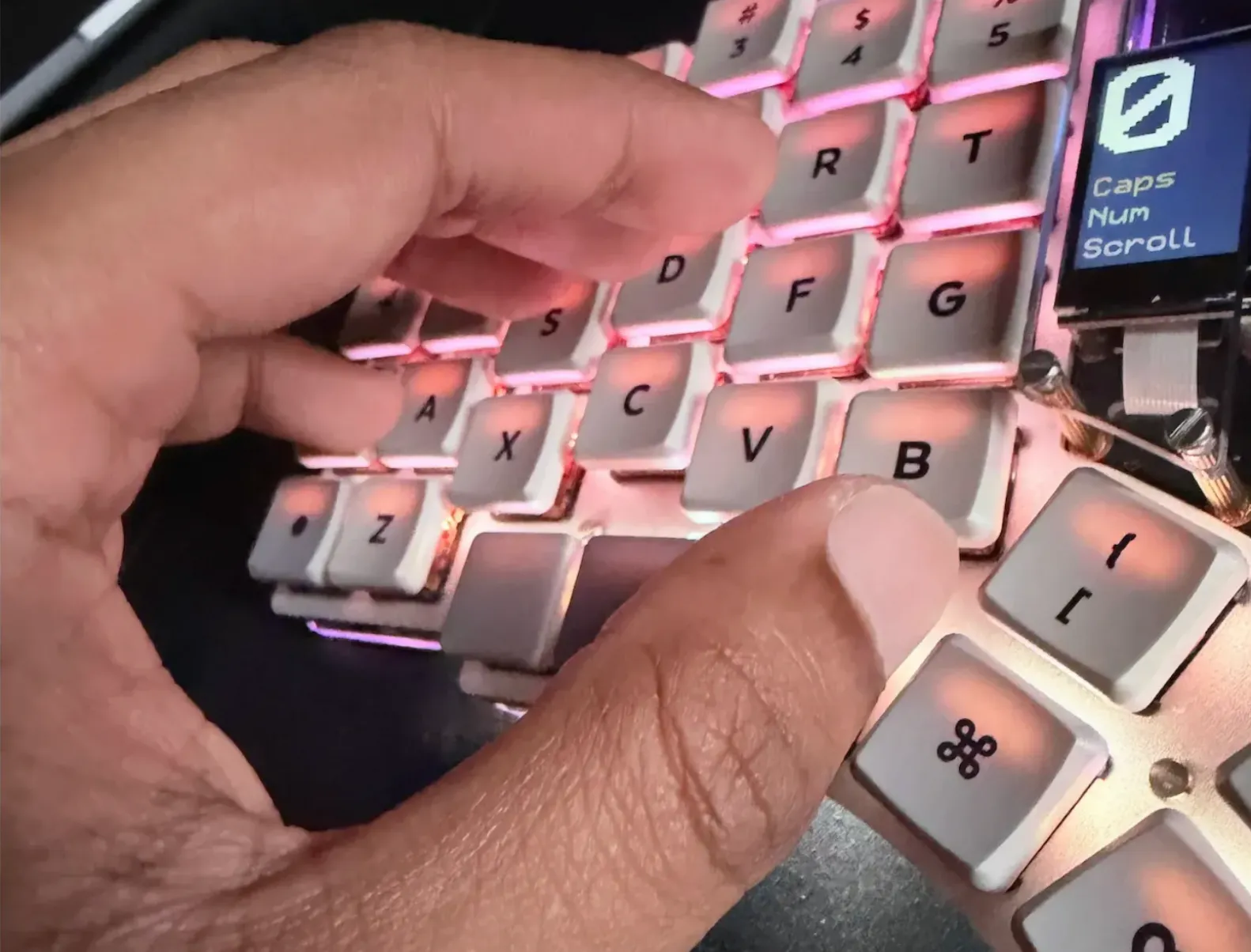
This setup lets me type leisurely, leaned back, and it feels completely natural. I run only three layers. A main layer, one for configuration, and one for the mouse. I have no need for anything more complex, and I do not use macros. The touchpad means I do not strictly need the mouse layer anymore, but old habits are comfortable, so I keep it. If I am honest, the touchpad is mostly there for decoration.
The trainer
I still write code in the age of AI, and I lean on it in two directions. When I want to understand something, I get the AI to explain it. When I just want something done, I hand my idea in the form of a plan to my workflow and let the AI build it. That second mode is how Cadence, a touch typing trainer, came to be. I built it for myself, and wired in LM Studio and Ollama so I can generate a fresh paragraph or a code snippet to practice on whenever I want.
I already know there are good alternatives out there. Most of the time that does not stop me. When I want something to work exactly the way I picture it, and I realize I can build it, I build it. Or at least I build it far enough to understand how it works. With AI, that is easier than it has ever been.
What is next
I have two keyboard projects going right now.
The first is a Kyria, another PCB kit. Since I made a mess of my first build, I want to solder one properly from scratch and get it right this time.
The second is bigger. Working on these boards taught me a lot, enough that I started learning about microcontrollers, and I have taken it as an excuse to get into PCB design. I am currently learning to design a keyboard of my own, from scratch.
Final words
Keyboards are a strange and special thing for anyone who types for a living. We spend most of our waking hours with them, and building one turns out to be its own quiet form of craft. Part patience, part skill, part stubbornness, and a willingness to spend time on something I could just buy. Which is why chefs and their knives felt like the right place to start. I will keep picking up other hobbies, because I am curious about far too many things to sit still. But keyboards are the one I keep coming back to, the one I am obsessed with. It is a strange thing to be obsessed with. At least I am honest about it.
Comments